Route
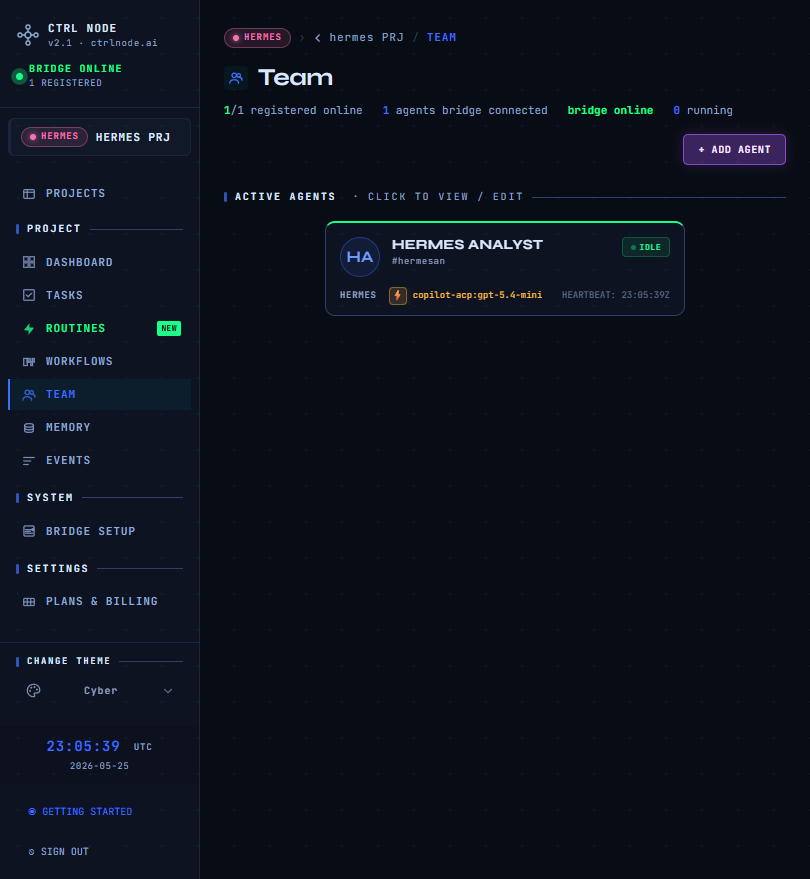
Register an agent
- + New agent (or complete
/setup/agent)
- Choose agent type matching your CLI (OpenClaw, Cursor, Claude, Codex, Copilot, Gemini, Hermes)
- Name, role, and instructions (long text stored as agent description; synced to workspace
AGENTS.md when Bridge is connected)
Connectivity
Agents appear online when:
- Bridge is connected (
/system/bridge-tokens)
- The agent process registered via Bridge sync
Dashboard and Team show heartbeat / IDLE / RUNNING / OFFLINE.
Agent workspace
Each agent has a workspace folder on the Bridge machine. CtrlNode can push config and read artifacts from task runs.
Project agent type (sidebar badge) is the default CLI for that project; each agent can still be configured individually.

