

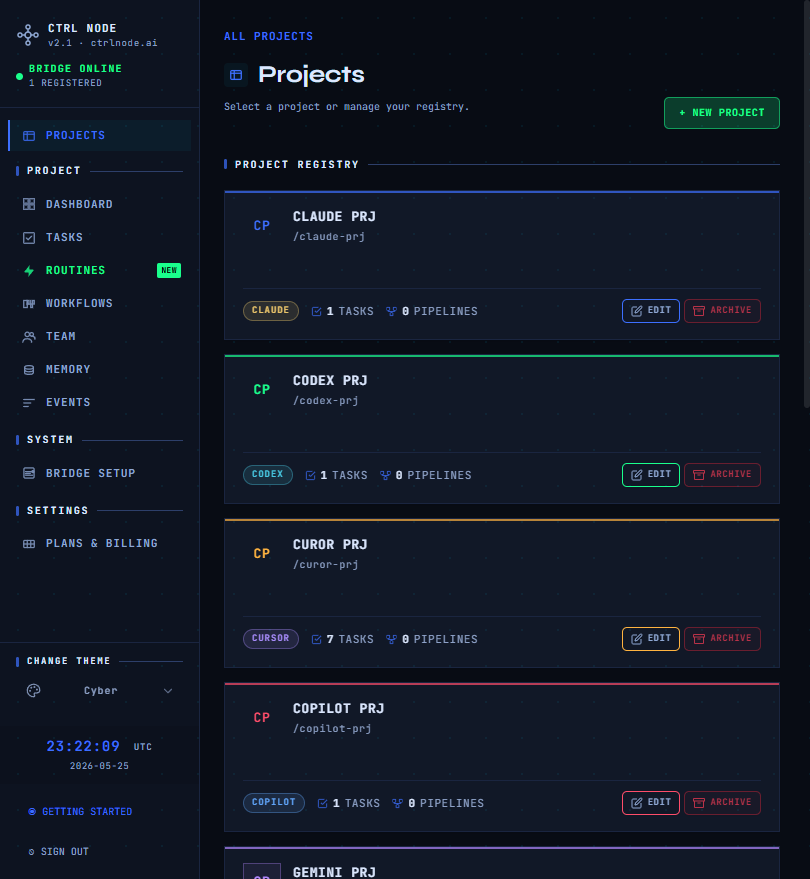
CtrlNode is a browser control plane for AI coding agents. You plan work in the web app at app.ctrlnode.ai; a Bridge daemon on your machine runs agents and streams results back over an outbound WebSocket. Your repositories stay local — CtrlNode orchestrates work; it does not host your code.Documentation Index
Fetch the complete documentation index at: https://docs.ctrlnode.ai/llms.txt
Use this file to discover all available pages before exploring further.
Without a connected Bridge, agents cannot receive tasks and several actions (run workflow, clone, rerun) stay disabled in the UI.
Architecture
First-time setup wizard
New organizations land on a fullscreen wizard at/setup:
| # | Step | App route |
|---|---|---|
| 1 | Project | /setup/project |
| 2 | Token + pair Bridge | /setup/token?projectId=… |
| 3 | Agent | /setup/agent?projectId=… |
| 4 | First task | /setup/task?projectId=… |
Quickstart
Sign in, install Bridge, pair token, and run your first task.
Documentation map
Web app tour
Projects, dashboard, team, memory, Bridge setup in the UI.
Routines vs Workflows
Scheduled single-task jobs vs multi-step pipelines.
Routines
Schedules, triggers, runs, calendar.
Workflows
Designer, steps, activation, recovery.
Tasks
Kanban, states, task detail.
Events
Audit feed and real-time activity.
Bridge (open source)
Install, configuration, providers — Bridge tab above.
Web app pages
| Area | Doc |
|---|---|
| Projects | /getting-started/projects |
| Dashboard | /getting-started/dashboard |
| Tasks | /getting-started/tasks |
| Routines | /getting-started/routines |
| Workflows | /getting-started/workflows |
| Team | /getting-started/team |
| Memory | /getting-started/memory |
| Events | /getting-started/events |
| Bridge setup | /getting-started/bridge-setup |