> ## Documentation Index
> Fetch the complete documentation index at: https://docs.ctrlnode.ai/llms.txt
> Use this file to discover all available pages before exploring further.
# Routines
> Recurring tasks — hourly, daily, weekly, or on demand
**Routines** run the same agent instructions on a schedule (or on demand). Each execution creates one **task** you can track on the board.
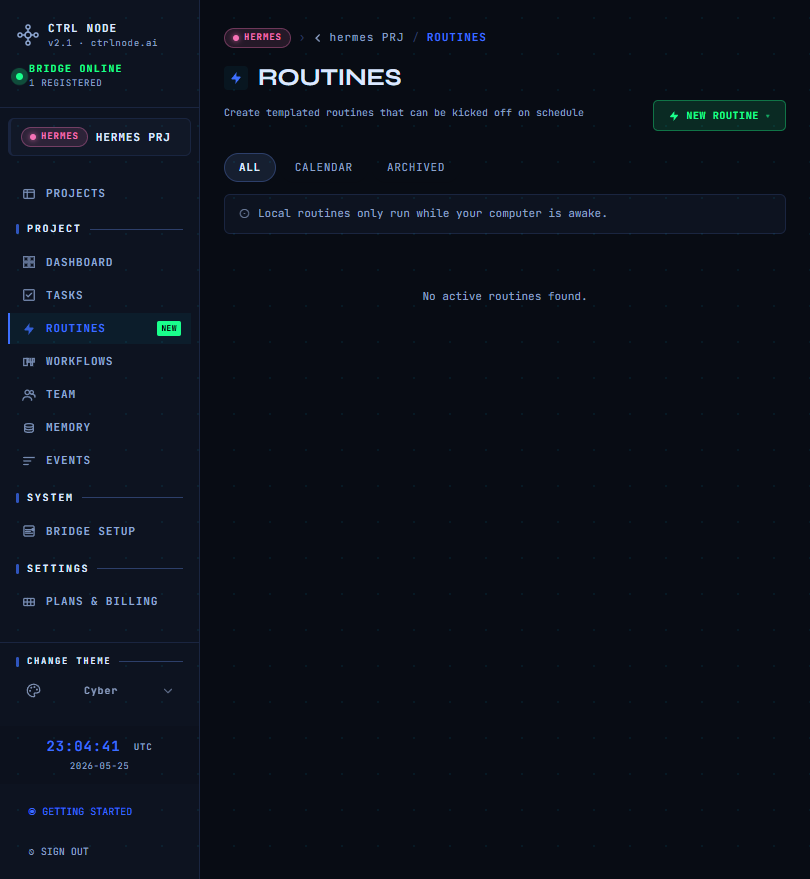
## In the app
| Area | Route |
| ------------- | ------------------------------------------------------------ |
| List | `/projects/{projectId}/routines` |
| Detail + runs | `/projects/{projectId}/routines/{routineId}` |
| Designer | Open a routine to edit its linear pipeline (trigger + steps) |
| Calendar | `/projects/{projectId}/routines/calendar` |
## Quick actions
* **New routine** — name, schedule preset, agent, instructions
* **Run now** — immediate run (`manual` trigger)
* **Pause** — disable automatic schedule without deleting the definition
**Open the full guide** — SET TRIGGER presets (Manual, Hourly, Daily…), **Activate schedule** vs **Live**, trigger-to-step links, and screenshots from the designer.
## Learn more
Definitions vs runs, schedules, and history.
Same guide: cron, time zones, pause, and node dependencies.
Step linking (**Sources** / **Destinations**) uses the shared workflow designer — see [Steps & activation](/workflows/steps-and-activation#linking-steps-sources-and-destinations).
## Related
* [Workflows](/getting-started/workflows) — multi-step pipelines
* [Tasks](/getting-started/tasks) — Kanban for each run’s task
* [Bridge Setup](/getting-started/bridge-setup) — required for execution